Engineering tools built for a different plant
Legacy CAD assumes a greenfield model that never existed for a forty-year-old unit. Drawings live in one system, calculations in spreadsheets, the as-found condition in a photo folder. Every revision is a reconciliation project.
One model, from capture to drawing
NEXUS starts from what is actually there: scans and photos become geometry, geometry becomes tagged equipment and routed pipe, and the same tags flow into the P&ID, the integrity calculation and the compliance record.
Faster deliverables, fewer surprises
- No workstation, no license server, no plug-ins
- As-built accuracy from reality capture
- ISA-5.1 verification before the drawing leaves the desk
- Tag continuity into compliance and operations
Commercial release: available to license and install today. Beta: customer evaluation. Pilot program: deployed with design partners under evaluation agreements. Development: not yet released. Research: direction, not a product.
Five applications. One engineering model.
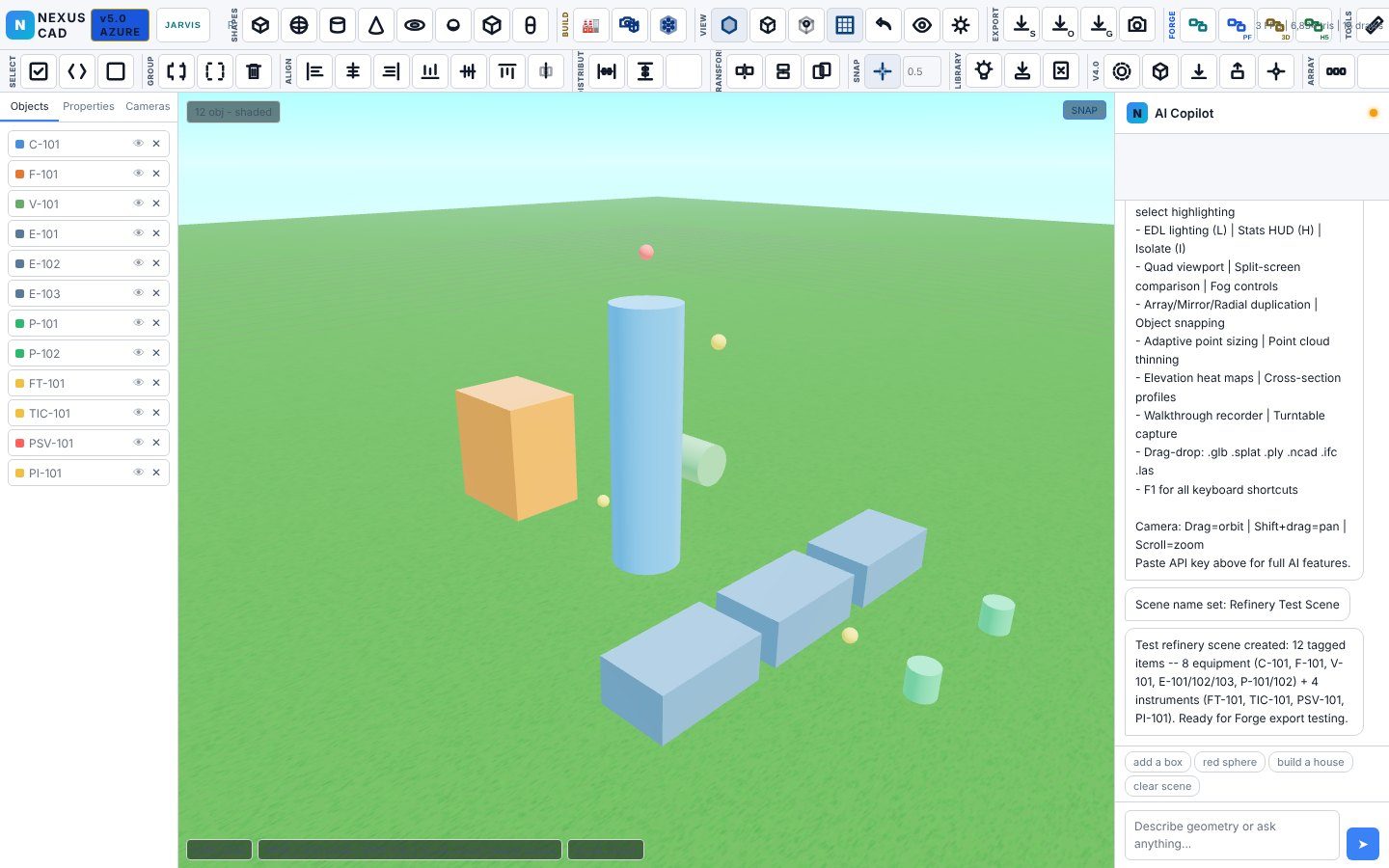
3D plant modeling in Chrome
A real-time 3D environment for process plants: tagged equipment and instruments, catalog components, pipe routing with expansion loops and nozzles, quad viewports, elevation heat maps, cross-sections, walkthrough recording and turntable capture. Point clouds and photo sets load directly and reconstruct to mesh.
- Imports .glb, .splat, .ply, .ncad, .ifc, .las, E57 and Potree tiles
- Photo-to-3D reconstruction with point-cloud correction
- Exports to NEXUS Forge for orthographic drawings and PFDs
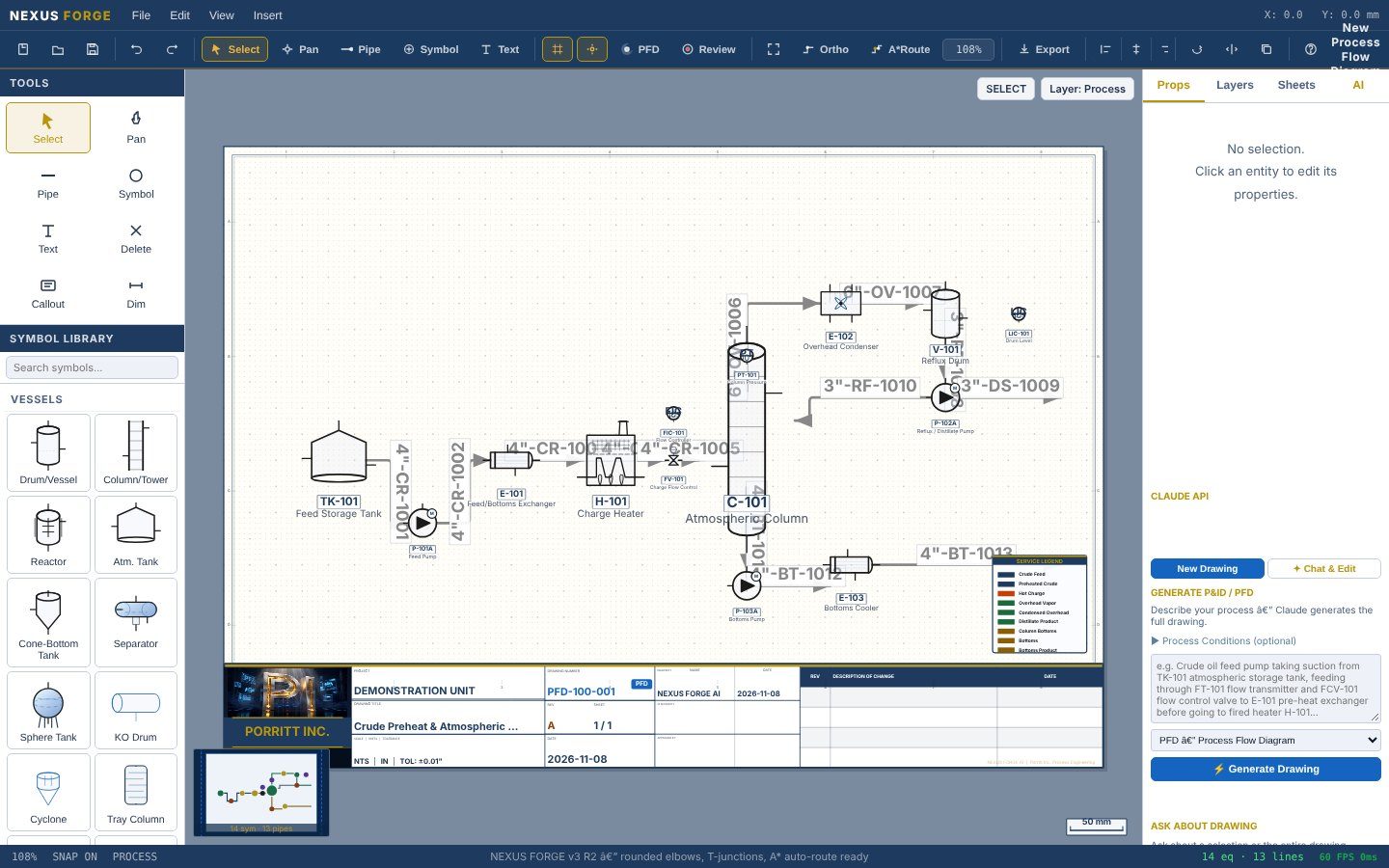
PFDs and P&IDs with a title block
A drafting environment built for process drawings: a symbol library of vessels, rotating equipment, heat transfer, valves and instruments; A* pipe auto-routing with orthogonal snapping; line tags, stream markers, revision clouds and a title block that fills itself from the drawing properties.
- Sheet sizes ANSI A–E, layers, PFD review mode
- Imports NEXUS CAD models and generates GA and vessel drawings
- Exports HTML, SVG and bundle formats for review and record
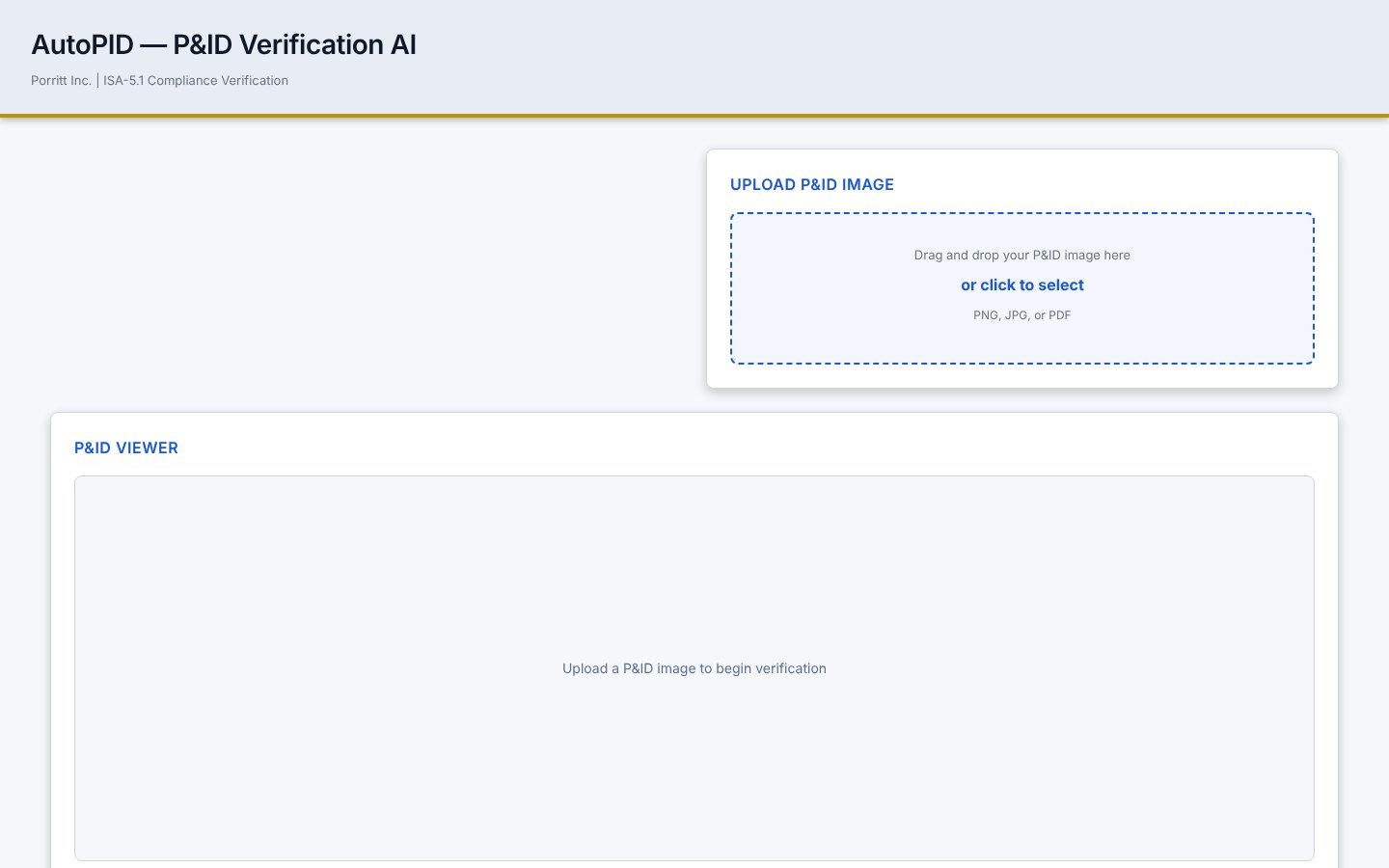
P&ID verification against ISA-5.1
Upload a P&ID image or PDF and AutoPID reads it: instrument bubbles, tag conventions, line designations and symbol usage are checked against ISA-5.1 and returned as a findings list the drafter can act on before the drawing is issued.
- PNG, JPG or PDF input
- Findings by category with the governing clause
- Runs on your own AI key; drawings never leave your control
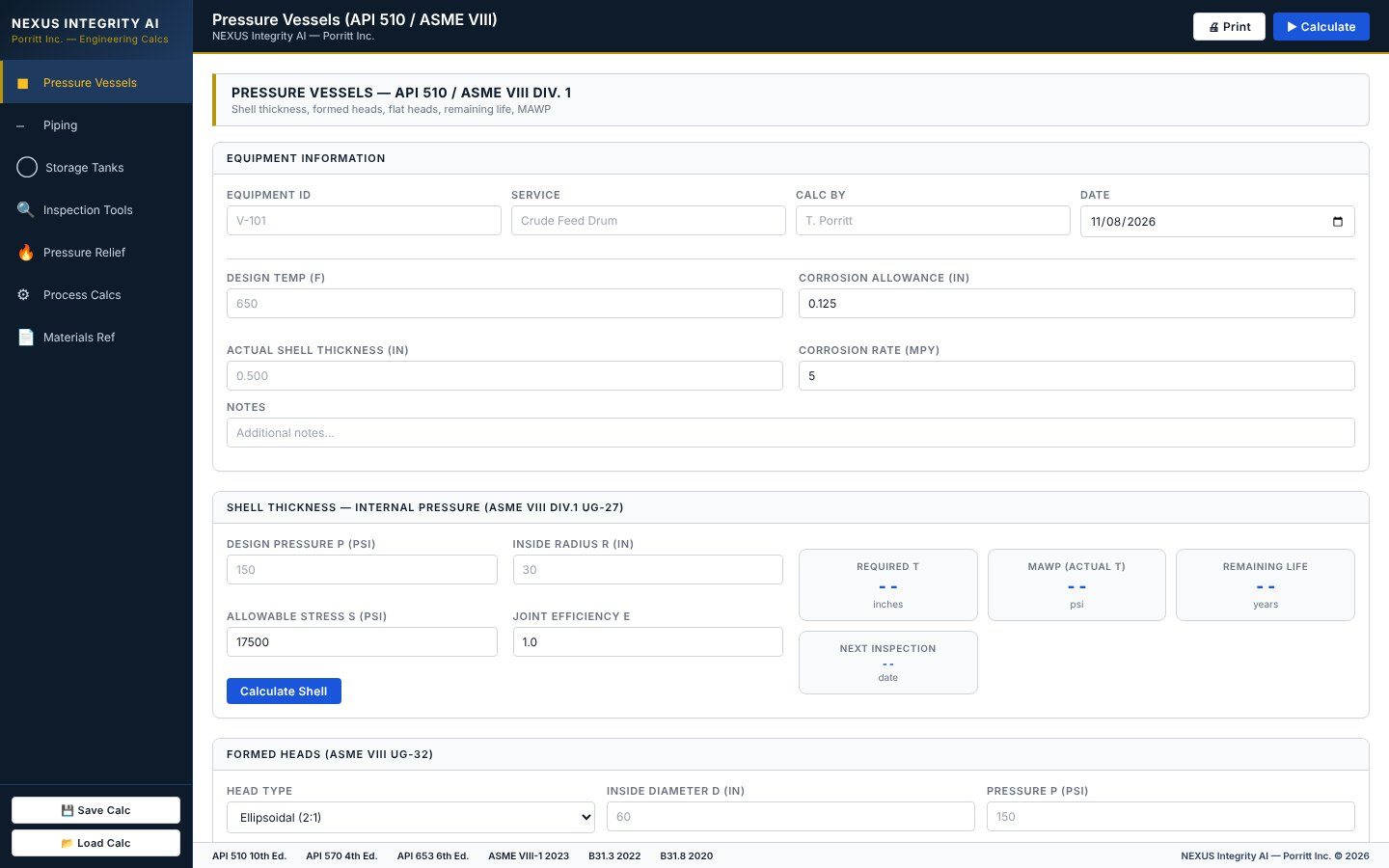
Mechanical integrity calculations
Pressure vessels (API 510 / ASME VIII), piping (API 570 / B31.3), storage tanks (API 653), pressure relief, inspection tools and process calcs in one place. Shell and head thickness, remaining life, next inspection date and MAWP are computed from the inputs an inspector already has.
- Save and load calculations by equipment ID
- Print-ready output with the code reference on each result
- Materials reference built in
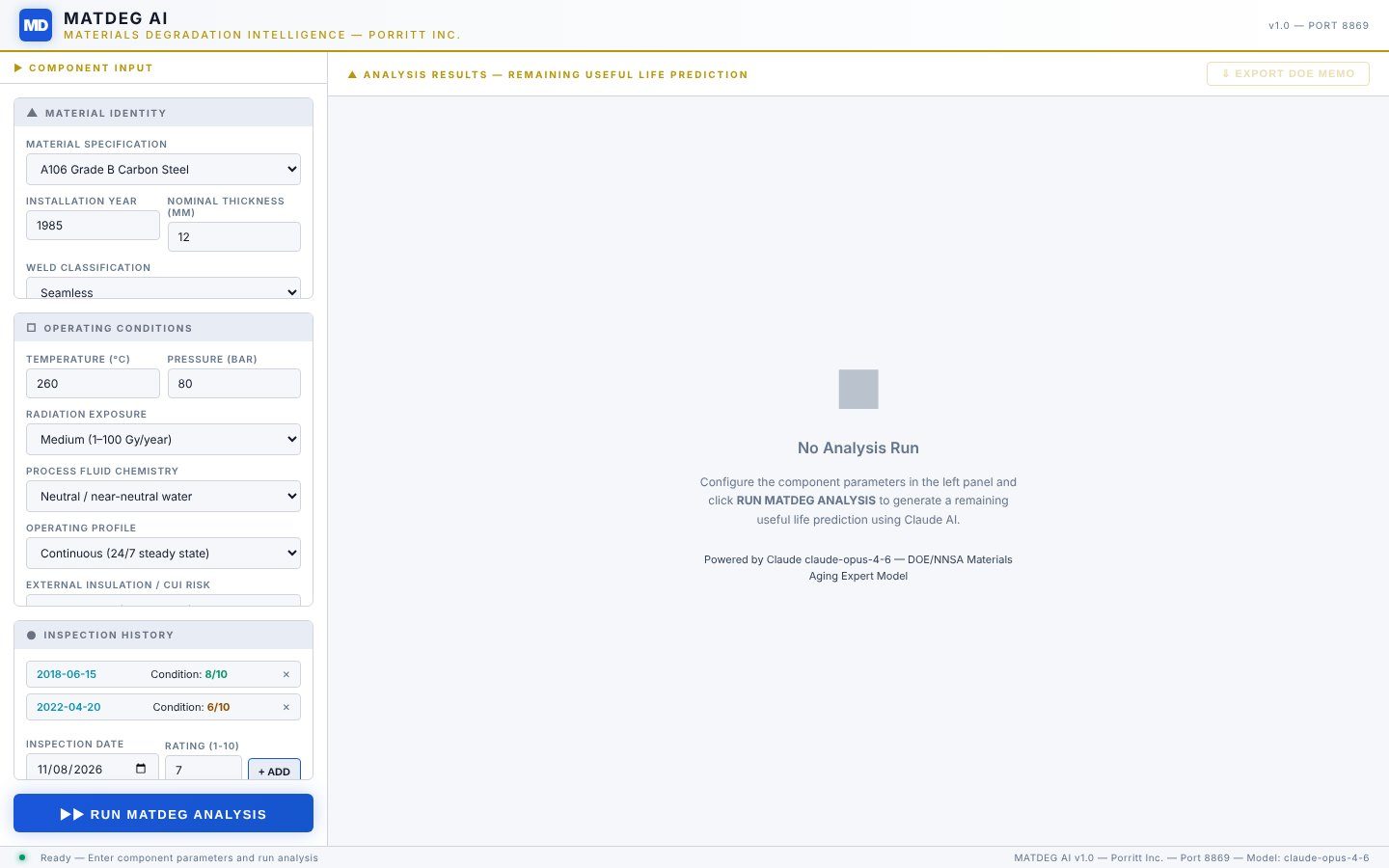
Materials degradation and remaining life
Component material, installation year, operating temperature and pressure, process fluid chemistry, insulation and inspection history go in; degradation mechanisms, rate estimates and remaining useful life come out, with the aging model's reasoning shown alongside.
- Carbon and low-alloy steels, stainless grades, nickel alloys
- Corrosion, creep, embrittlement, CUI and fatigue mechanisms
- Feeds inspection intervals in NEXUS Integrity AI
NORMEX certifies the design
Tags and materials defined here become the facility record NORMEX checks against RAGAGEP and PSM.
Plant Intelligence operates it
The same equipment IDs carry into work orders, shift logs and inspection tracking.
HELIA plant models
The fusion balance-of-plant renders and drawings are built in NEXUS.
Industrial controls
Control narratives and I/O lists start from the NEXUS P&ID.
What is NEXUS?
Porritt Inc.'s engineering suite: NEXUS CAD for 3D plant modeling and reality capture, NEXUS Forge for PFDs and P&IDs, AutoPID for ISA-5.1 verification, NEXUS Integrity AI for vessel, piping and tank calculations, and MATDEG AI for materials degradation and remaining life. All run in the browser on Windows.
Does NEXUS need a CAD workstation or a license server?
No. NEXUS runs in Chrome on an ordinary Windows machine. Models, drawings and calculations are saved locally or on your network.
Can NEXUS work from site photos or laser scans?
Yes. NEXUS CAD imports point clouds (E57, LAS, PLY, Potree tiles) and reconstructs geometry from photo sets, then lets engineers place catalog equipment and route pipe against the as-found condition.
How do NEXUS drawings connect to compliance?
Equipment tags, line numbers and materials defined in NEXUS carry into NORMEX for RAGAGEP and PSM mechanical-integrity work, and into Plant Intelligence for work orders and inspection tracking.
Bring a photo of a unit. Watch it become a model.
A NEXUS demo runs on your own site photos or scans, through to a P&ID and an integrity calculation.
REQUEST A NEXUS DEMO → All software →